Personal apps
Build personal Mac apps with AI
Describe a small tool, such as a habit tracker or a budget sheet, and Atd builds it in a conversation. Open it any time from My apps, put its widgets on your desktop, and return to the task whenever you want to change it.

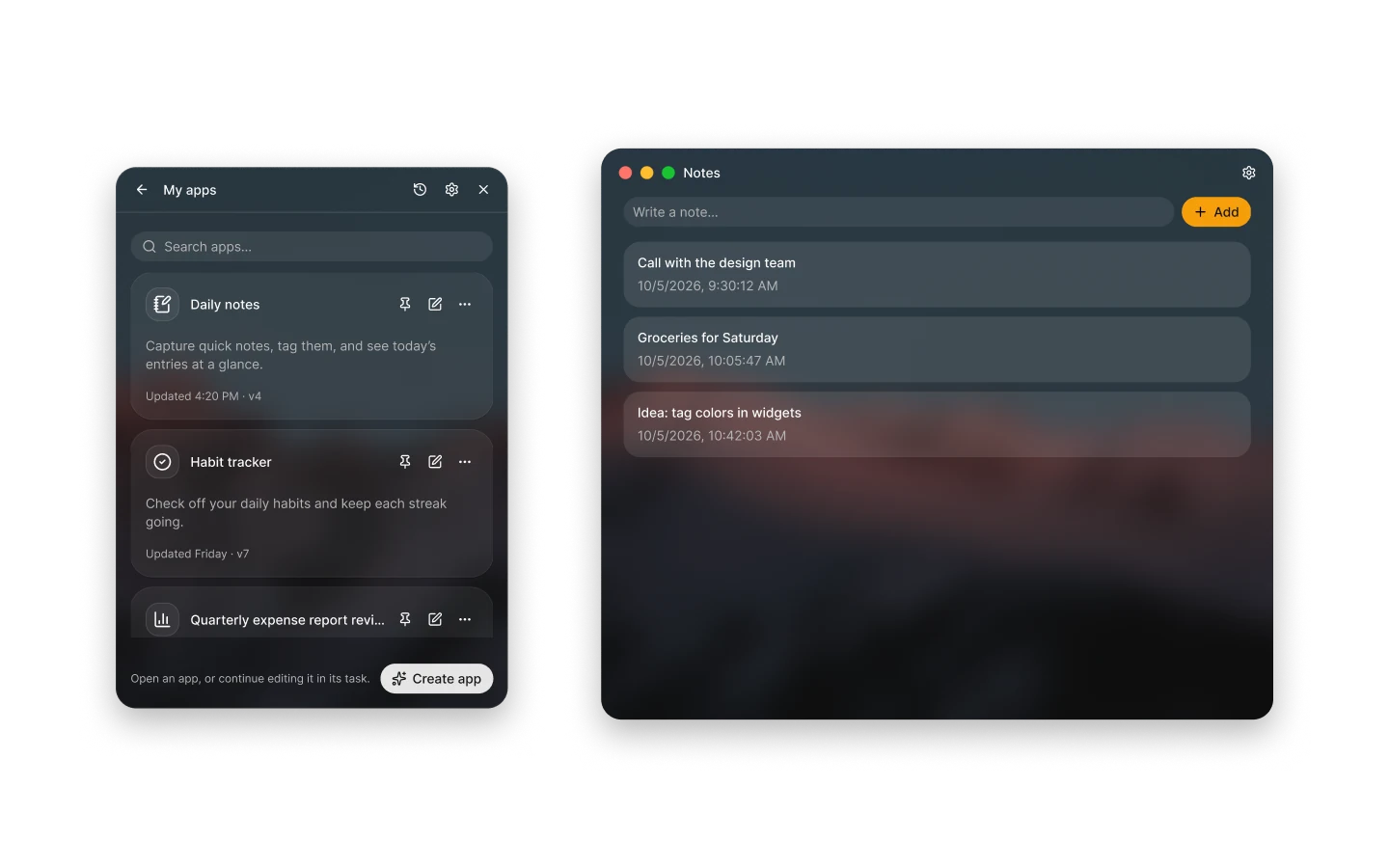
From an idea to an app
Choose Create app in the panel, or describe the tool you want in any conversation. Atd asks only about what would change what the app does, such as what it keeps or whether it needs AI or the web, then builds the smallest version that does the job.
Atd writes the app’s source, builds it and publishes the first version. It tests the app’s backend functions with real inputs and tells you what it verified and what it couldn’t check. When the first version is ready, the app appears in My apps and in Settings › Apps.
A window, a backend and widgets
Each app opens in its own window, which by default uses the same glass surface as Atd’s panel. An optional backend runs as a sandboxed process that keeps the app’s data in a database, a key-value store or files, and can call web services, AI models, your memory and your MCP servers.
Apps can also offer desktop widgets in small, medium and large sizes, such as today’s items or a count you check often. Add Atd’s App Widget from the macOS widget gallery and choose the app, or drag the app’s card from My apps onto the desktop to pin it.
Refine it by returning to the task
Ask for a change in the task that built the app, or choose Continue editing in My apps to start a task with the latest source. Each change you ask for becomes one version, however many builds it takes.
Settings › Apps lists every version. Reverting makes an older version current again while newer ones stay listed. The app’s data isn’t rolled back, so data saved by a later version may not work with an older one.
What apps can access
An app asks the first time it uses AI models, the agent, your memory, your MCP servers or Atd’s web search, explains why it needs it, and Atd remembers your choice. Agent tasks an app starts still ask for approval before steps with side effects, and storage and logs need no permission.
In Settings › Apps you can change an app’s permissions, clear its data or delete it with all its versions.
- The app’s window can’t reach the network itself; only its backend can.
- The backend can’t start other programs, open listening ports or reach your local network, and writes only inside the app’s own data folder.
- A ChatGPT plan connection needs Allow background use before an app’s AI requests can use it.
- Pinned widgets show while Atd runs; turn on Open at login to keep them after a restart.
Questions
Do I need to know how to code?
No. You describe what the app should do; Atd asks only about choices that change what the app does, then designs, writes, builds and tests it. Later changes work the same way: say what you want different in the task, and Atd publishes a new version.
Where is an app’s data stored?
On your Mac, in the app’s own data folder, which holds its database, files and browser storage. Every version of the app shares that data, and reverting to an older version doesn’t roll it back. Clear data removes everything the app saved but keeps the app and its versions.
Can an app use AI or my other tools?
Yes, through its backend and with your consent. The first time an app uses AI models, runs the agent, uses your memory, calls tools on your MCP servers or uses Atd’s web search, Atd asks you and remembers your choice. Change it any time in Settings › Apps.
How do I put an app on my desktop?
Drag the app’s card from My apps onto the desktop, or use its pin action; the pin shows one of the app’s widgets, which you can resize within the sizes it supports. You can also add Atd’s App Widget from the macOS widget gallery and choose the app. Widgets need Atd in the Applications folder.
What if a change breaks my app?
Revert to an earlier version in Settings › Apps, and it becomes the current version again while newer versions stay listed. You can also tell Atd what went wrong in the task: it can read the app’s diagnostics, including errors in its window and backend crashes, and fix them in a new version.